
The Email Template section in the Enterpristore Helpdesk system allows administrators to manage the predefined email messages sent to customers and internal staff. These templates ensure consistent, professional, and accurate communication for different ticket-related events. Admins can edit the content, subject, and placeholders in each template to match the organization’s tone and requirements.
Email Template Module
Email Template List
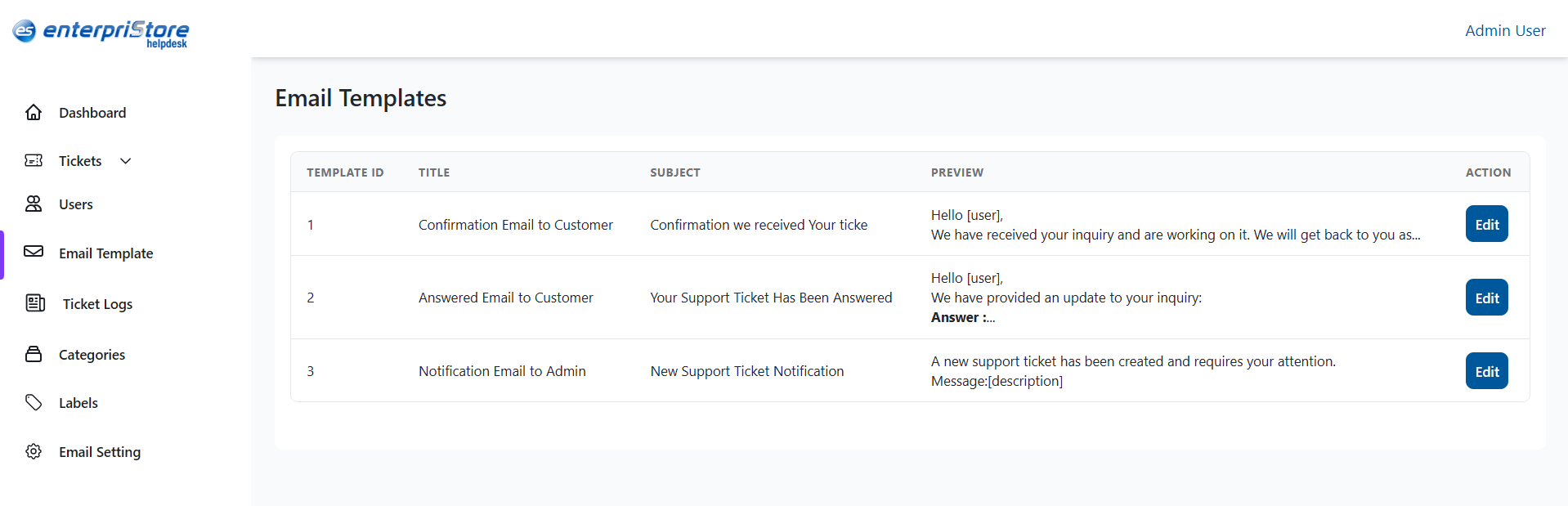
The Email Template list displays all available templates in a table format with the following details:
- Template ID – A unique identifier for the template.
- Title – The name of the template, describing its purpose.
- Subject – The subject line that will appear in the email.
- Preview – A short preview of the email body content.
- Action – An Edit button to modify the template.
Default Templates
By default, the system includes templates such as:
- Confirmation Email to Customer – Sent when a ticket is received, confirming submission.
- Answered Email to Customer – Sent when an agent responds to a customer’s ticket.
- Notification Email to Admin – Sent to administrators when a new ticket is created.
Edit Email Template
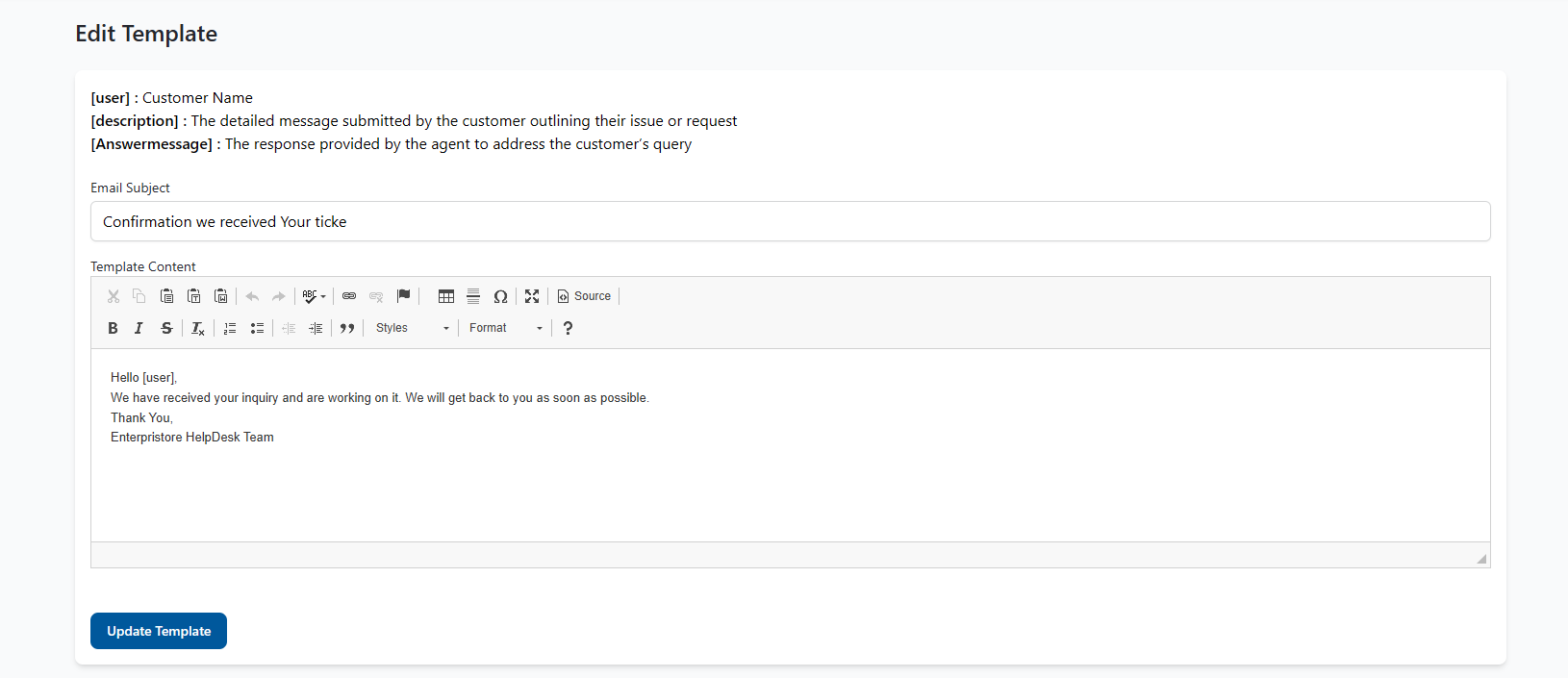
The Edit Email Template page lets admins update the subject and body of an email. Placeholders can be used to personalize messages:
- [user] – Customer’s name
- [description] – Customer’s message
- [Answer message] – Agent’s reply
Fields:
- Email Subject – The title shown in the recipient’s inbox.
- Template Content – The main message, editable with formatting and placeholders.
Action:
- Update Template – Saves the changes for future emails.
This completes the detailed explanation of the Email Template module in the Enterpristore Helpdesk system.