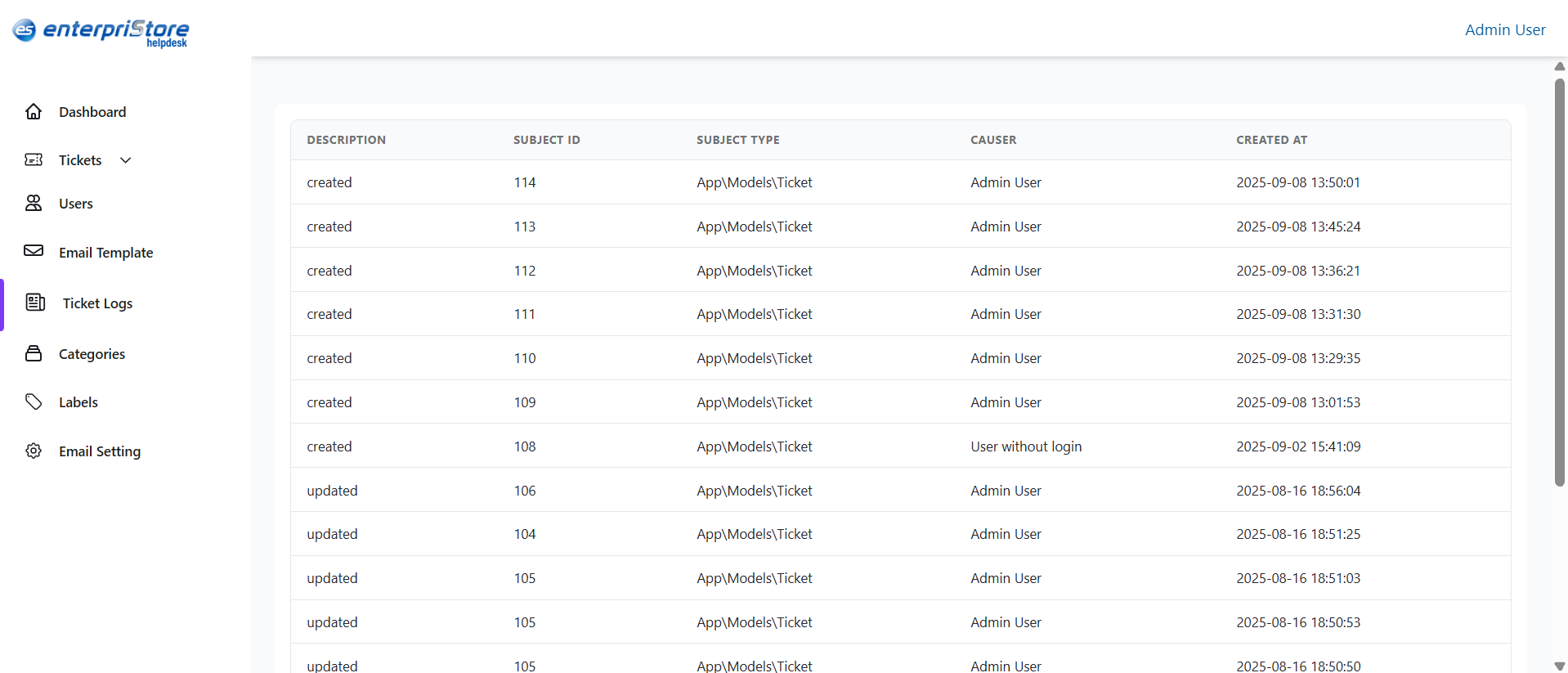
The Ticket Logs section in the Enterpristore Helpdesk system provides a detailed record of all ticket-related activities. It is primarily used by administrators to track system events, monitor changes, and review ticket creation or updates for auditing purposes. Each log entry captures essential details about the action performed, who performed it, and when it occurred.
Ticket Logs Module
Ticket Logs List
The Ticket Logs list is displayed in a table format with the following columns:
- Description – A short note about the action taken (e.g., create, update).
- Subject ID – The unique ID of the ticket related to the log entry.
- Type – The type of record (e.g., Application Ticket).
- Owner – The user who performed the action (e.g., Admin User).
- Created At – The exact date and time the log entry was recorded.
Features
- Pagination – View logs in pages for easier navigation when there are many entries.
- Chronological Order – Logs are listed by creation time, showing the most recent first.
- Audit Trail – Helps in tracking ticket history for accountability and compliance.