
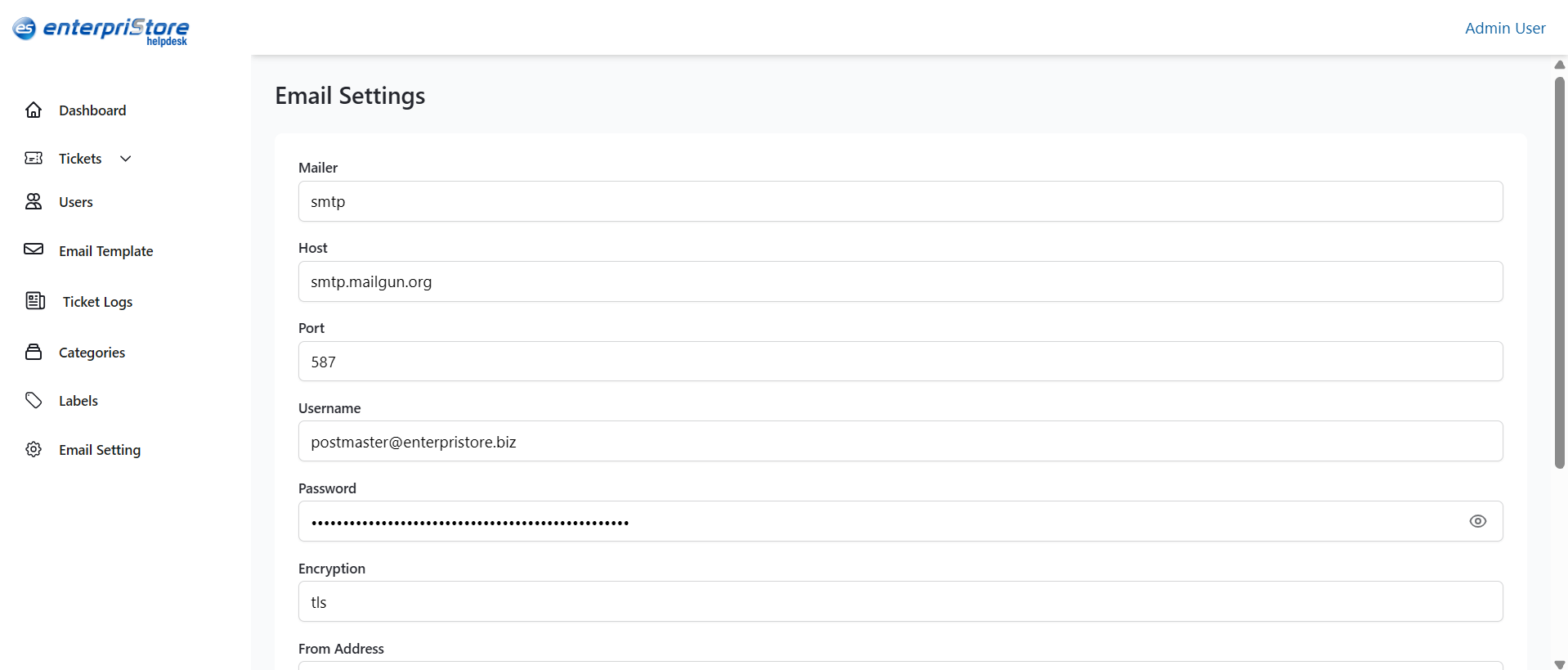
The Email Settings section in the Enterpristore Helpdesk system allows administrators to configure the SMTP (Simple Mail Transfer Protocol) settings used for sending system-generated emails. These settings ensure that notifications, confirmations, and other automated messages are delivered correctly to customers and staff.
Email Settings Module
Fields
- Mailer – The method used to send emails (e.g., smtp).
- Host – The SMTP server address (e.g., smtp.mailgun.org).
- Port – The port number for the SMTP connection (e.g., 587).
- Username – The email account username used for authentication.
- Password – The password for the SMTP account (hidden for security).
- Encryption – The encryption method for secure email transmission (e.g., tls).
- From Address – The email address that appears as the sender.
- From Name – The display name that appears as the sender.
- Recipients (comma separated) – A list of email addresses that will receive system notifications.
Action
- Save Changes – Applies and stores the updated email configuration.
This completes the detailed explanation of the Email Settings module in the Enterpristore Helpdesk system.