
The User Management section is a key administrative feature of the Enterpristore Helpdesk system. It allows administrators to view, create, edit, and delete user accounts, as well as assign specific roles and permissions. This module ensures that the right people have the right level of access, helping maintain system security and operational efficiency. Users can have different roles such as Admin, Agent, or User, each with its own set of permissions.
User Management Module
User List
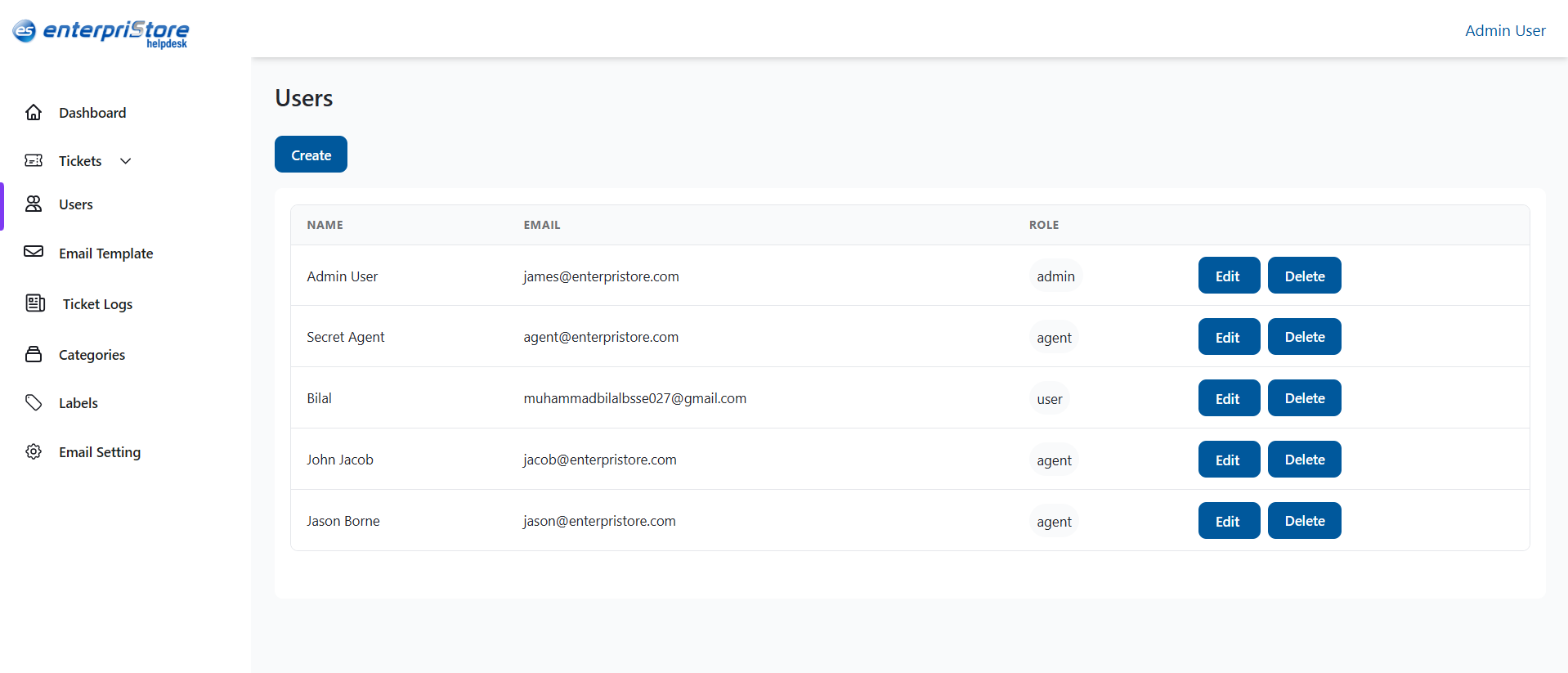
The user list displays all accounts in a table format with the following details:
- Name: The full name of the user.
- Email: The user’s registered email address.
- Role: The assigned role (Admin, Agent, User).
- Actions: Buttons to Edit or Delete the user record.
Create User
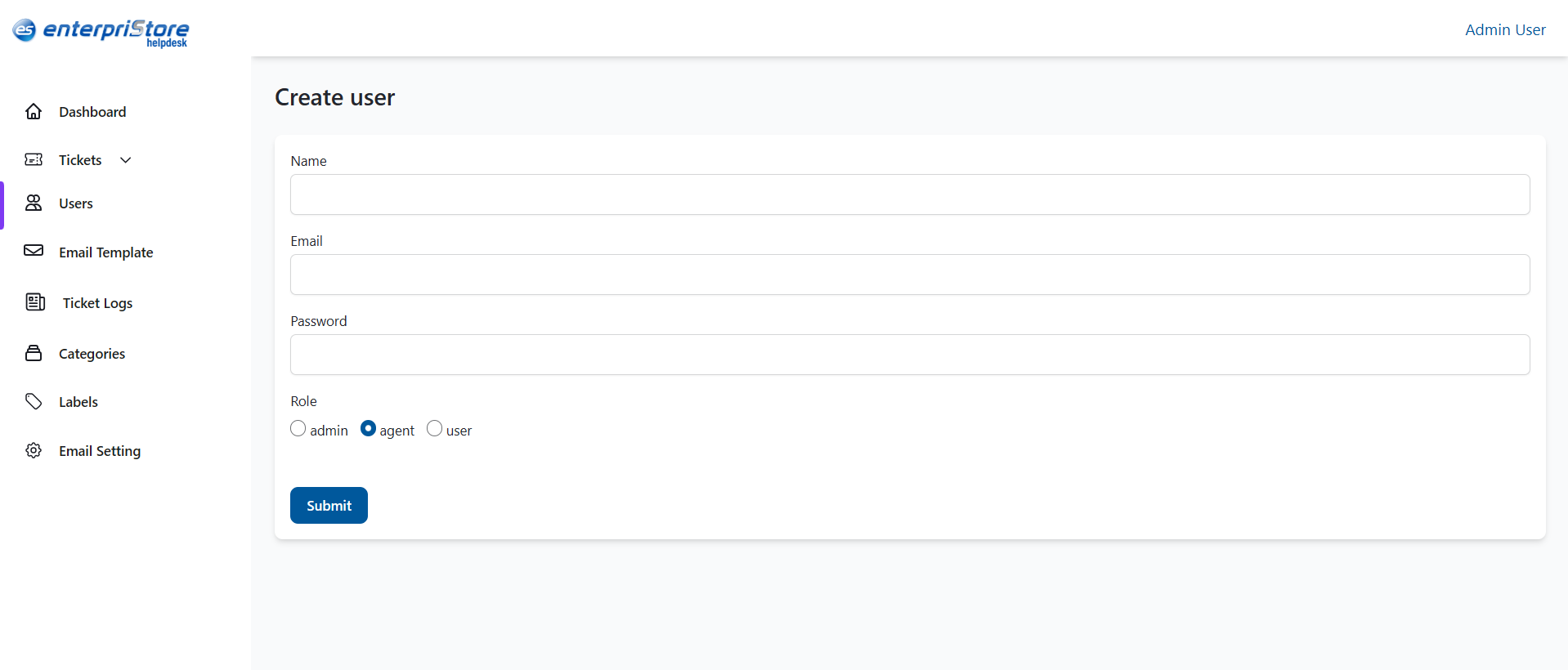
The Create User page is used to add a new account to the system. This feature is available only to administrators. Fields include:
- Name: Full name of the user.
- Email: A valid email address for login and notifications.
- Password: Set an initial password.
- Role: Select from Admin, Agent, or User.
Submit: Once all fields are completed, clicking Create will save the new account and display it in the user list.
Edit User
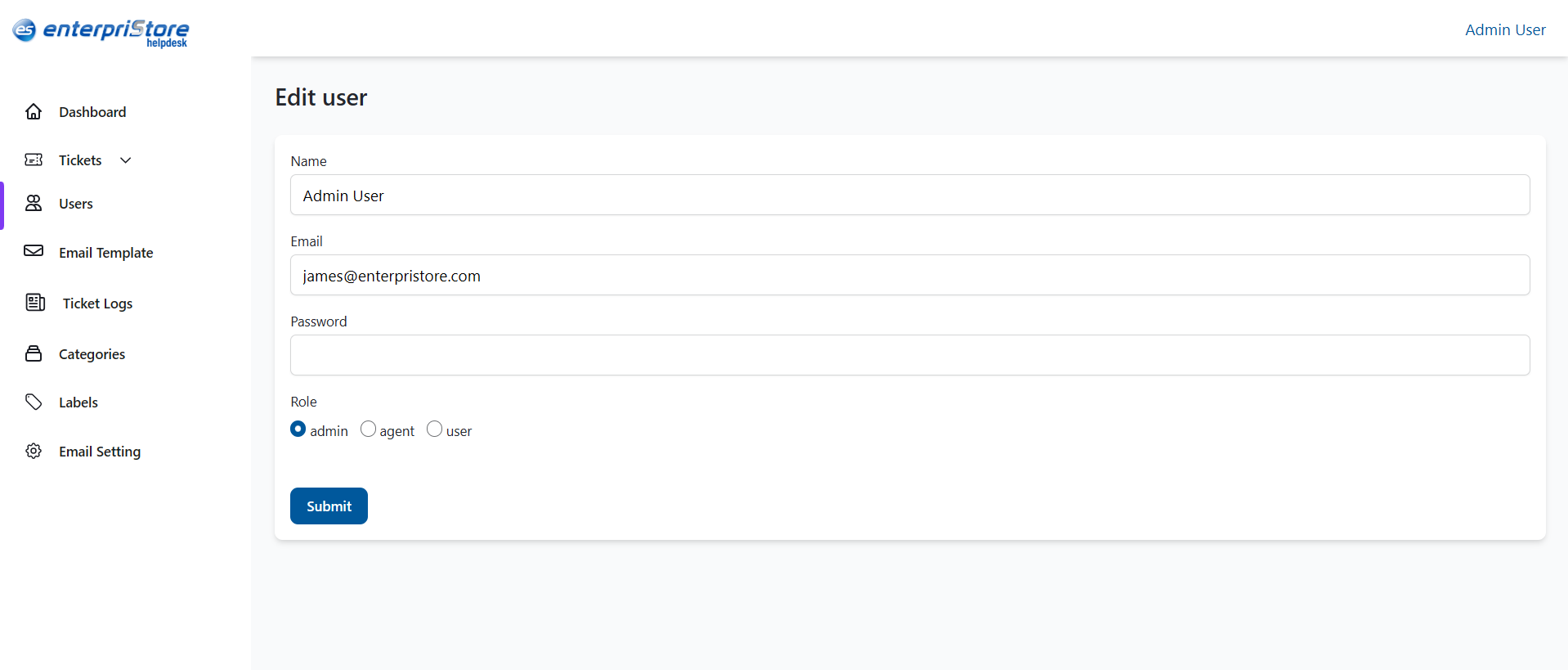
The Edit User page is used to update an existing user’s details. Admins can change the user’s name, email, role, or password (if allowed).
Fields:
- Name – Update the user’s full name.
- Email – Change the registered email address.
- Role – Select Admin, Agent, or User.
- Password – Reset the password if needed.
Actions:
- Save Changes – Apply and save the updates.
- Cancel – Discard changes and return to the user list.
Delete User
The Delete action permanently removes a user from the system. Steps:
- Click the Delete button next to the user’s name.
- Confirm the deletion when prompted.
- Note: Deleted accounts cannot be recovered.
This completes the detailed explanation of the User Management module in the Enterpristore Helpdesk system.